
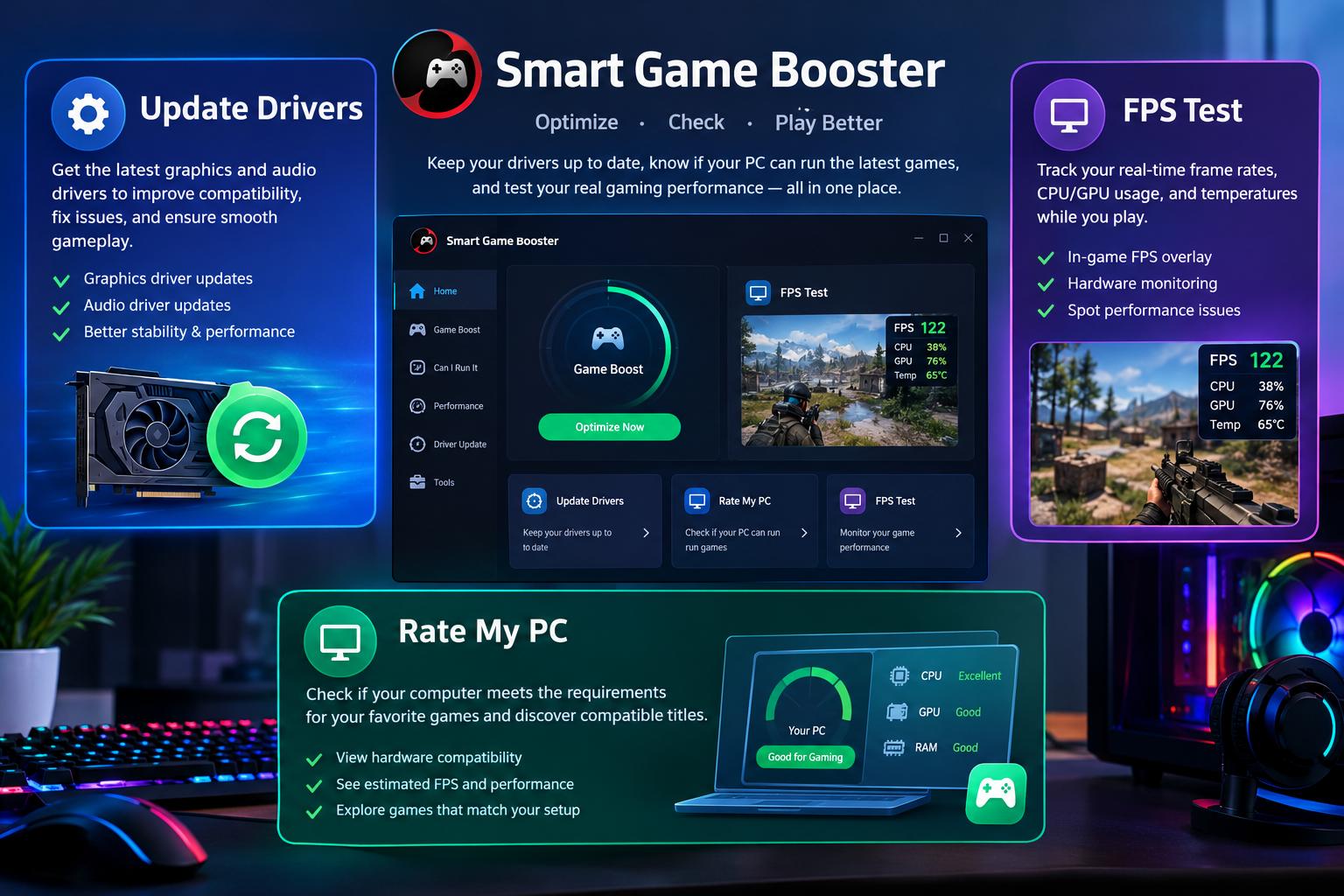
A computer can look perfectly capable on paper but still deliver disappointing results when running demanding games. Sometimes the problem comes from outdated graphics drivers, sometimes the hardware is not suitable for a particular title, and occasionally the system simply struggles to maintain consistent frame rates. Instead of treating every gaming issue as a reason to upgrade hardware, it makes sense to examine the computer from different angles. Smart Game Booster brings several useful gaming utilities together to help users manage these tasks more conveniently.
From driver maintenance to hardware assessment and gameplay monitoring, the software offers practical options for people who want to understand their PC before making changes.
1. Update Drivers and Keep Your Gaming Hardware Ready
Drivers play an important role in communication between Windows and installed hardware. Graphics drivers, in particular, can influence game compatibility, visual performance, and support for newer releases.
When you update drivers, you may receive bug fixes, compatibility improvements, and optimizations for supported games. Outdated drivers can sometimes contribute to graphical glitches, unexpected crashes, or other performance-related problems.
Smart Game Booster includes driver maintenance options in its Performance section. According to its official user manual, users can update older graphics and audio drivers through the application. The free edition supports manual driver updates, while paid editions offer additional automation.
This makes driver maintenance more convenient because users can access it alongside other PC optimization utilities instead of searching through several unrelated applications.
2. Rate My PC to Understand Your Gaming Hardware
Before purchasing a new game, I would first want to know whether my computer has the specifications needed to handle it. This is where the Rate My PC tool becomes useful.
Smart Game Booster’s official website provides an online PC-rating tool that asks users to select their processor, graphics card, and installed RAM. It then compares the configuration against a database of game and hardware information.
The results can include compatibility scores, minimum and recommended requirement matches, and estimated average FPS across different resolutions. Users can also explore how their selected hardware configuration may perform in individual games.
This is particularly helpful when planning a gaming upgrade. For example, someone considering a new graphics card can assess their existing configuration first and identify whether the processor or available memory might also need attention.
It is important to remember that a rating is an estimate, not a guarantee of actual gaming performance. Individual results can change with game updates, graphics settings, and system configuration.
3. FPS Test: Check How Your Games Actually Perform
Hardware specifications only tell part of the story. What really matters is how a computer behaves when a game is running. An FPS test helps users examine this by measuring the number of frames rendered per second.
For example, a game might maintain a high frame rate during ordinary movement but experience noticeable drops in crowded scenes or during intensive graphical effects. Checking FPS in different situations can reveal these variations.
Smart Game Booster includes an in-game HUD that displays real-time FPS and hardware temperatures. Users can enable the overlay through the Performance section and monitor their system without repeatedly switching between the game and another application.
I find this approach useful because it allows gamers to observe performance while playing rather than relying entirely on predicted benchmark scores. It also helps identify whether changes to graphics settings or system optimization have made a noticeable difference.
4. How These Tools Complement Each Other
The three tools cover different stages of PC gaming preparation.
Imagine installing a newly released game on a computer that has not been maintained for several months. The first step would be to check whether the graphics and audio drivers need updating. Next, the rate my pc tool could provide an overview of the hardware configuration and its compatibility with the selected game.
After launching the game, an FPS test can reveal how the system performs under actual gameplay conditions. If frame rates fluctuate, users can investigate background applications, graphics settings, and hardware temperatures.
Smart Game Booster makes this process easier by bringing driver maintenance, gaming optimization, and real-time monitoring into its Windows application, while its website provides additional PC assessment tools.
5. Additional Features Worth Exploring
Apart from these utilities, Smart Game Booster includes PC Boost, Super Boost, and real-time hardware monitoring.
PC Boost helps manage selected background processes before launching games. Super Boost provides additional GPU and VRAM overclocking options on supported hardware and eligible subscription plans.
The monitoring section displays hardware resource usage and temperature information. These details can help users identify potential overheating or resource-related issues during demanding gaming sessions.
The application also offers Auto Boost functionality, which can activate selected gaming optimizations when supported games launch. Users should review configuration options before applying changes, particularly when adjusting advanced system or overclocking settings.
Final Verdict
Managing a gaming computer becomes easier when you understand what needs attention instead of making random adjustments. Update Drivers, Rate My PC, and FPS Test serve three different purposes: maintaining hardware software, evaluating PC gaming suitability, and measuring real gameplay performance.
Smart Game Booster combines several of these capabilities with additional optimization and monitoring features. Its separate online PC-rating tool also provides useful information for gamers planning their next upgrade.
For anyone looking to manage their Windows gaming setup more efficiently, Smart Game Booster is worth exploring. It provides a practical starting point for checking hardware, maintaining drivers, and understanding how a PC performs during gaming.
