
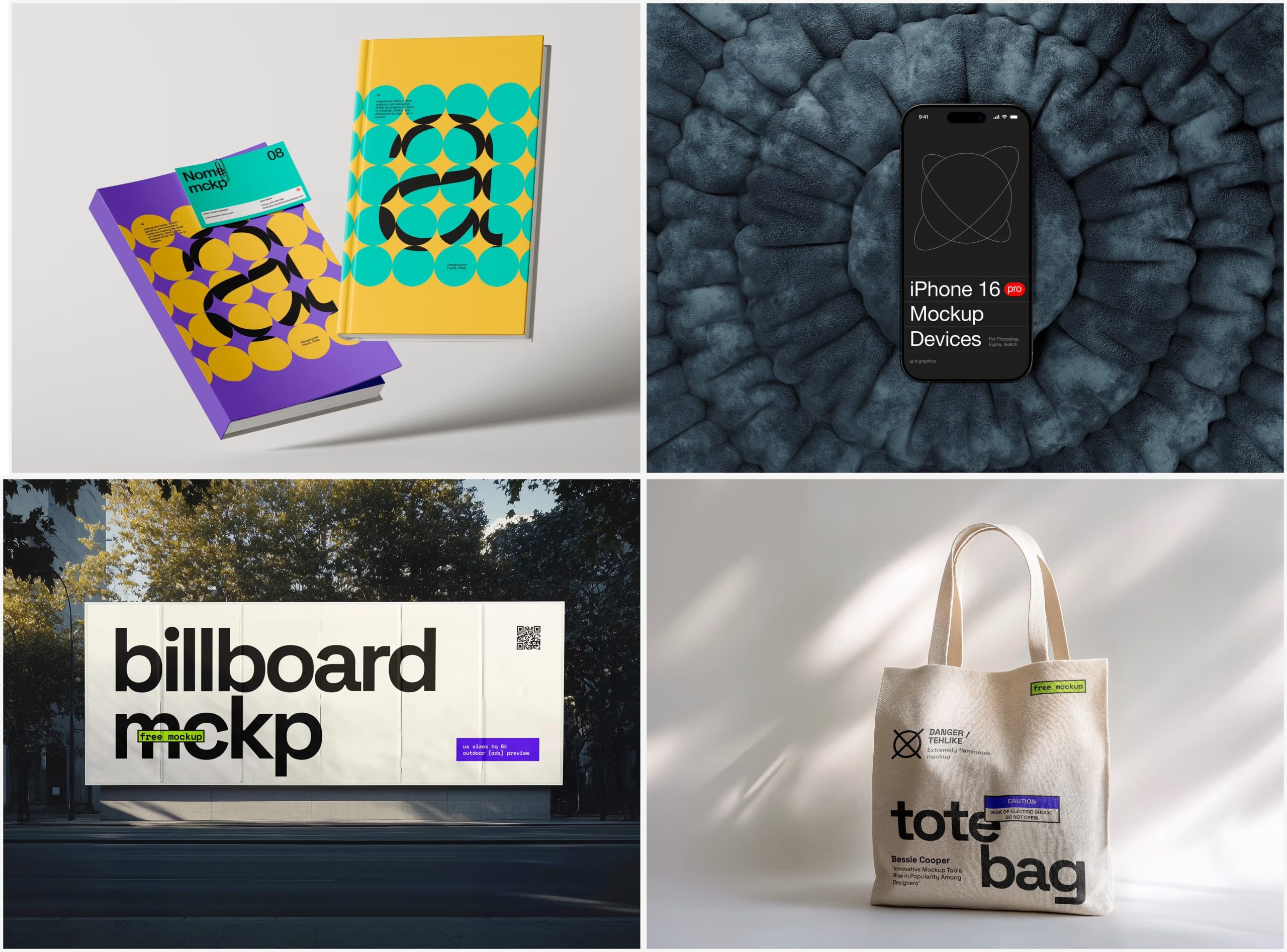
Imagine spending weeks perfecting a logo — the curves, the colors, the kerning. You present it flat on a white background, and the client shrugs. Now imagine that same logo wrapping around a coffee cup, embossed on a business card, printed on a tote bag. Suddenly, it clicks. That transformation is the power of a branding Mockup.
In modern design practice, mockups have become as essential as the designs themselves. They bridge the gap between imagination and reality — letting clients, stakeholders, and designers see how an identity system truly feels before anything goes to production.
What Exactly Is a Branding Mockup?
A branding mockup is a pre-built visual template that places your artwork — logos, typography, color systems — onto realistic objects or environments. Think product packaging, stationery sets, apparel, signage, or digital screens. The result looks like a polished studio photograph, even though the physical product doesn’t exist yet.
At its core, a mockup answers the question every client secretly wants to ask: “But what will it actually look like?” Instead of asking them to imagine your vision, you show it — in context, with depth, shadow, and texture.
Why Mockups Are Non-Negotiable in Brand Presentations
Brand identity isn’t just a logo. It’s a system, and systems must be seen in action. A mockup demonstrates how that system performs across touchpoints — from a paper bag to a phone screen. This holistic view transforms a good pitch into a winning one.
- Client approvals become faster — realistic visuals reduce misunderstandings and revision cycles dramatically.
- Your portfolio stands out — mockup presentations signal professionalism and elevate even student projects to agency-level quality.
- Brand consistency is easier to evaluate — seeing a logo across five materials at once reveals clashes you’d never catch on a white artboard.
- Marketing assets are ready immediately — pitch decks and social posts can use mockup visuals long before physical production begins.
How to Use Mockups Like a Pro
Match the mockup to your brand’s world. A luxury skincare brand demands clean, minimal mockups. A street-art label might thrive in gritty urban settings. The environment carries as much meaning as the design inside it — mismatched aesthetics can sabotage brilliant branding.
Work with Smart Objects. Quality mockup files are built with Smart Object layers in Photoshop — double-click, paste your design, save. The template handles perspective, shadow, and texture automatically. Fast, non-destructive, and endlessly reusable.
Vary your angles and edit with intention. A flat lay feels editorial; a close-up detail shot signals craftsmanship; an isometric grouping establishes a full brand universe. Different angles communicate different things — use that strategically.
Common Mistakes to Avoid
- Low-resolution templates — pixelated mockups immediately undermine your professionalism. Always use high-res files, especially for print contexts.
- Overcrowding your composition — a single, well-chosen scene often speaks louder than a dozen crammed onto one slide. Let the design breathe.
- Presenting without narrative — mockups should guide the eye and tell a story, not just fill a page.
- Ignoring color accuracy — mockup lighting and material simulation can shift how your brand colors appear on screen. Always cross-check against your actual color specifications before sending anything to a client or printer.
- Using the same mockup style for every project — one template does not fit all brands. Reusing the same scene across different clients makes your presentations feel templated and lazy. Curate fresh setups that genuinely reflect each brand’s personality.
Premium Mockups at ls.graphics
When it comes to finding exceptional mockup resources, ls.graphics stands in a league of its own. This isn’t a generic template farm — it’s a curated library built around one obsessive standard: quality.
Every mockup features ultra-realistic rendering that captures how light behaves on different materials — the sheen on coated paper, the soft shadow beneath a folded tote, the curvature of a glass bottle. Files come with organized, clearly labeled layers so you’re never hunting through a chaotic stack. Multiple shooting angles and different color style options mean one purchase unlocks an entire shoot’s worth of material.
Compositions lean on stylish minimalist aesthetics — restrained props, clean backgrounds, environments that elevate your design rather than compete with it. The Edit Online feature lets you customize and preview mockups directly in your browser, no Photoshop needed — a genuine asset for remote collaboration. A large number of free scenes are also available to explore before committing to premium packs.
Conclusion
A branding mockup is more than decoration. It’s a communication tool, a trust-builder, and often the deciding factor between a client who signs and one who hesitates. In a world of remote pitches and digital-first presentations, a well-crafted mockup deck is your best stand-in for a physical sample.
Whether you’re presenting to a global brand or a local startup, quality templates pay for themselves. The resources at ls.graphics are a great place to start — free scenes get you moving immediately, while premium collections make your work look like it came from a professional studio. Great design deserves great presentation. Mockups are how you make that happen.
