
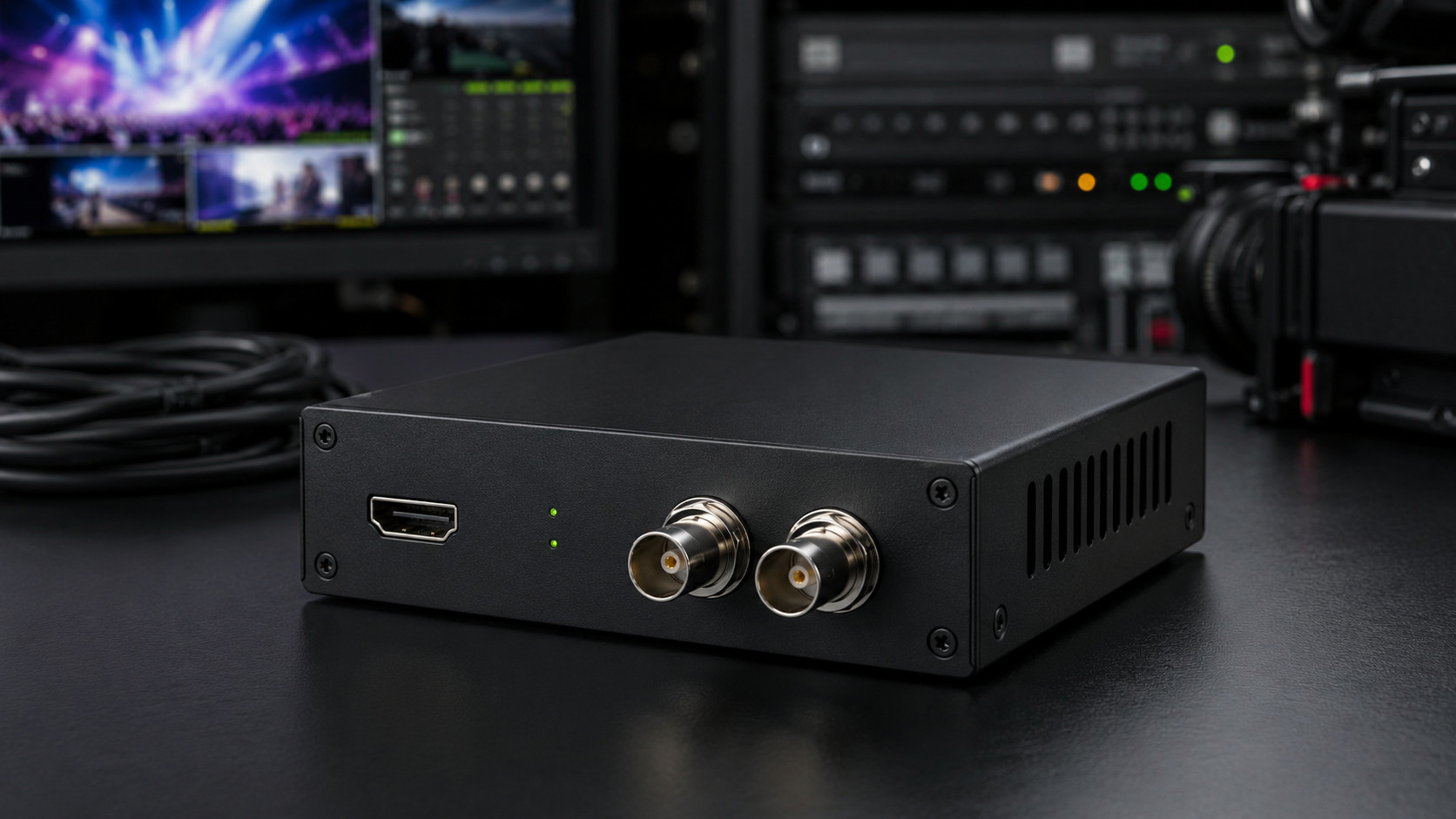
HDMI to SDI converters are important tools in professional video systems. They allow video and audio from an HDMI source to be converted into an SDI signal, making it possible to connect consumer or computer-based equipment to professional broadcast, production, monitoring, or distribution systems.
HDMI is commonly used in televisions, computers, media players, cameras, game consoles, presentation devices, and many other consumer or commercial products. SDI, on the other hand, is widely used in professional video environments because it is reliable, suitable for longer cable runs, and designed for stable signal transmission over coaxial cable.
An HDMI to SDI converter acts as a bridge between these two formats. It receives a digital HDMI signal, processes it, and outputs the video through an SDI connector. This makes it possible to use HDMI devices in SDI-based workflows, such as live production, broadcasting, event systems, surveillance, houses of worship, education, and professional AV installations.
Understanding HDMI
HDMI stands for High-Definition Multimedia Interface. It is a digital standard that carries video and audio through a single cable. HDMI is extremely common because it is simple to use and widely supported by modern devices.
A typical HDMI connection can carry high-definition video, audio, and sometimes control data. It is often used to connect laptops to projectors, media players to televisions, cameras to monitors, and computers to capture devices.
However, HDMI has limitations in professional environments. Standard HDMI cables are usually best for relatively short distances. The connector does not lock securely in place, which can be a problem in live events or mobile production. HDMI signals may also be affected by compatibility issues, resolution mismatches, or copy protection depending on the source.
For these reasons, HDMI is convenient but not always ideal for professional signal routing and long-distance transmission.
Understanding SDI
SDI stands for Serial Digital Interface. It is a professional digital video standard commonly used in broadcast and production systems. SDI signals are usually carried over coaxial cable with secure connectors, making them reliable in demanding installations.
One of the main strengths of SDI is distance. SDI signals can usually travel much farther than standard HDMI signals over suitable coaxial cable. This makes SDI useful in studios, event venues, control rooms, sports facilities, lecture halls, churches, theaters, and security systems.
Another advantage of SDI is stability. The connection is designed for professional workflows where signal loss can cause serious problems. SDI is commonly used with cameras, video switchers, routers, recorders, monitors, converters, and distribution equipment.
SDI can carry embedded audio together with video, allowing both picture and sound to travel through one cable. Depending on the SDI standard used, it can support different resolutions, frame rates, and signal types.
What an HDMI to SDI Converter Does
An HDMI to SDI converter changes an HDMI signal into an SDI signal. The HDMI source is connected to the converter’s input, and the SDI output is connected to professional video equipment.
For example, a laptop may need to send a presentation to a video switcher that only accepts SDI inputs. Instead of changing the entire system, an HDMI to SDI converter can convert the laptop’s HDMI output into SDI. The switcher can then receive the signal like any other professional video source.
Another example is a camera with HDMI output that needs to be used in a live production setup based on SDI cabling. The converter allows that camera to be connected to the production system over coaxial cable.
The converter does not usually create content or improve the original quality of the source. Its role is to make the signal compatible with SDI equipment and suitable for professional distribution.
Common Applications
HDMI to SDI converters are used in many different environments.
In live production, they are often used to connect laptops, media players, presentation systems, or HDMI cameras to SDI switchers and routers. This is common in concerts, conferences, sports events, worship services, and stage productions.
In broadcast environments, HDMI to SDI conversion allows non-broadcast sources to be integrated into professional workflows. A computer output, graphics system, or video playback device can be converted into SDI and routed through the facility.
In education, converters can connect lecture computers, document cameras, or HDMI video sources to SDI-based recording and streaming systems. This is useful in lecture halls, training rooms, and hybrid learning environments.
In corporate AV systems, HDMI to SDI converters may be used for presentations, video conferencing, overflow rooms, or internal broadcasts. They help connect standard office equipment to professional AV infrastructure.
In surveillance and monitoring, HDMI outputs from recorders or control systems can be converted to SDI for long-distance viewing on remote monitors.
Why Convert HDMI to SDI?
The main reason to convert HDMI to SDI is to gain the practical advantages of SDI while using HDMI source devices.
The first advantage is cable distance. HDMI is convenient for short runs, but it can become unreliable over long distances. SDI is better suited for longer cable runs over coaxial cable, especially in professional environments.
The second advantage is secure connection. SDI connectors are designed to stay firmly attached. This reduces the risk of accidental disconnection during a live event or production.
The third advantage is compatibility with professional systems. Many video switchers, routers, monitors, recorders, and broadcast devices are designed around SDI inputs and outputs. An HDMI to SDI converter allows HDMI devices to be part of that system.
The fourth advantage is cleaner cable management. Coaxial cable is often easier to route through production spaces, patch panels, and equipment racks than long HDMI cables.
Video Quality
An HDMI to SDI converter should preserve the quality of the incoming signal as much as possible. Since both HDMI and SDI are digital formats, the conversion can often be very clean when the source format is supported.
However, the converter cannot make a poor source look better. If the HDMI signal is low resolution, heavily compressed, or unstable, the SDI output will reflect those limitations.
Video quality also depends on resolution, frame rate, color format, and the SDI standard supported by the converter. Some converters support only certain formats, such as 720p or 1080i, while others may support 1080p or higher-bandwidth SDI formats.
Before using a converter, it is important to confirm that the HDMI output format from the source is supported by the converter and by the receiving SDI equipment.
Resolution and Frame Rate Compatibility
Compatibility is one of the most important things to check when using HDMI to SDI converters. Not every HDMI format can be converted to every SDI format.
For example, a computer may output a resolution or refresh rate that is common for monitors but not standard in professional video systems. A converter may not accept unusual computer resolutions or refresh rates. It may require standard video formats such as 720p, 1080i, or 1080p at specific frame rates.
The receiving SDI device must also support the output format. If the converter outputs a format that the switcher, monitor, or recorder cannot accept, the signal may not appear.
In professional workflows, it is best to set the HDMI source to a standard video format that matches the production system. This reduces the risk of black screens, flickering, or format errors.
Audio Handling
HDMI carries audio together with video, and SDI can also carry embedded audio. An HDMI to SDI converter usually takes audio from the HDMI input and embeds it into the SDI output.
This is useful because the audio can travel through the same coaxial cable as the video. In live production, this can simplify routing and reduce the need for separate audio cables.
Some converters may also provide separate audio input options, allowing external audio to be embedded into the SDI signal. Others may only use the audio included in the HDMI stream.
When audio is important, it is necessary to check supported audio formats. Simple stereo audio is widely supported, while more complex audio formats may not always be compatible with every converter or receiving device.
Latency
Latency is the delay between the original HDMI source and the converted SDI output. In most basic HDMI to SDI converters, latency is usually very low because the device is mainly changing the signal format rather than heavily compressing the video.
Low latency is important in live production, IMAG systems, monitoring, live events, and interactive presentations. Even a small delay can be noticeable when a screen is near a live speaker or performer.
Some converters with scaling, frame-rate conversion, or advanced processing may add more delay. If latency matters, it is better to choose a converter designed for low-latency operation and avoid unnecessary processing.
Scaling and Format Conversion
Some HDMI to SDI converters simply convert the signal format without changing the resolution or frame rate. Others include scaling or format conversion.
A scaler can change the resolution of the video. For example, it may convert a computer output to a standard broadcast format. This can be useful when the source does not match the receiving system.
Frame-rate conversion may also be useful in some workflows, although it can add processing delay. Advanced converters may offer settings for output format, aspect ratio, audio embedding, and signal timing.
Basic converters are often enough for simple connections. More advanced models are useful when dealing with mixed equipment, computer sources, or complex installations.
Cable Distance and Coaxial Quality
After conversion, the SDI signal travels through coaxial cable. Cable quality matters. Good coaxial cable with properly installed connectors helps maintain a stable signal over longer distances.
Poor cable, damaged connectors, or excessive cable length can cause dropouts, sparkles, or complete signal loss. Professional installations should use cable suitable for the required SDI standard and distance.
Different SDI formats have different bandwidth requirements. Higher-bandwidth formats usually require better cable and may have shorter maximum distances. This is why cable planning is important, especially in permanent installations or large venues.
Copy Protection Issues
One important limitation of HDMI is copy protection. Some HDMI sources may output protected content that cannot legally or technically be converted to SDI. If a source uses copy protection, the converter may show a blank screen or refuse to output the signal.
This is common with some consumer entertainment devices and protected media content. HDMI to SDI converters are intended for legitimate video production, presentation, monitoring, and distribution workflows. They should not be used to bypass content protection.
For professional use, it is best to use sources that provide clean, unprotected HDMI output or equipment designed for authorized production workflows.
HDMI to SDI vs. SDI to HDMI
HDMI to SDI and SDI to HDMI converters are not the same thing. HDMI to SDI converts an HDMI source for use in an SDI system. SDI to HDMI converts an SDI source for display on an HDMI monitor or television.
Many converters work in only one direction. A device labeled HDMI to SDI usually cannot convert SDI back to HDMI unless it is specifically designed as a bidirectional converter.
Choosing the wrong direction is a common mistake. Before purchasing or installing a converter, it is important to identify the source signal and the required output signal.
Installation Considerations
Installing an HDMI to SDI converter is usually simple, but several details should be checked.
First, confirm the signal direction. The source must be HDMI, and the destination must accept SDI.
Second, check resolution and frame rate. Set the HDMI source to a format supported by the converter and the receiving device.
Third, check audio requirements. Make sure the converter supports the type of audio needed for the system.
Fourth, use good-quality coaxial cable. The SDI output depends on the quality of the cable path.
Fifth, provide stable power. Most converters require external power, and power loss will interrupt the signal.
Finally, test the system before the event or installation is finalized. This helps identify compatibility issues early.
Advantages of HDMI to SDI Converters
HDMI to SDI converters offer several practical benefits. They allow common HDMI devices to be used in professional video systems. They extend video transmission distance by converting the signal to SDI. They improve connection reliability by using professional coaxial connectors. They also make it easier to integrate laptops, media players, cameras, and presentation systems into broadcast or live production workflows.
They are compact, useful, and often essential in mixed-format video environments.
Limitations of HDMI to SDI Converters
The main limitations are compatibility and source restrictions. The converter must support the HDMI format being used. The receiving SDI device must support the converter’s output. Copy-protected HDMI content may not work. Some converters do not scale or change frame rates, so the source must be configured correctly.
Another limitation is that conversion does not improve the original signal. It only changes the format. If the source has poor quality or unstable output, the converted SDI signal may also be poor or unstable.
HDMI to SDI converters are valuable devices for connecting HDMI sources to professional SDI video systems. They are widely used in live production, broadcasting, education, corporate AV, houses of worship, events, surveillance, and video distribution.
Their main purpose is to make HDMI equipment compatible with SDI workflows. By converting HDMI into SDI, they allow signals to travel farther over coaxial cable, connect more securely, and integrate with professional switchers, routers, monitors, and recorders.
When choosing an HDMI to SDI converter, the most important factors are signal direction, supported resolutions, frame rates, audio handling, latency, cable quality, and copy protection limitations. When properly selected and configured, an HDMI to SDI converter can be a simple but powerful solution for bridging consumer HDMI devices with professional video infrastructure.
